
Stop paying for hours nobody can prove.
CrewClock puts a GPS-stamped punch clock in every crew member's pocket. Hours, overtime and pay estimates add themselves up — and the weekly timesheet lands with your payroll person in one tap.
Payroll shouldn't start with a group chat.
If your crew's hours live in texts, scraps of paper and memory, you're guessing every Friday — and guessing costs money.
"Hey, I worked 9–5 Tuesday"
Hours texted days later. Rounded up. Hard to check, harder to argue with.
Forgot to clock out — again
A 14-hour "shift" lands on the timesheet and you're stuck fixing it from memory.
Friday-night math
Adding up hours, working out overtime and re-typing it all for your bookkeeper.
Everything your crew needs. Nothing they'll fight you on.
Big buttons, plain language, works on any phone. If they can send a text, they can run CrewClock.
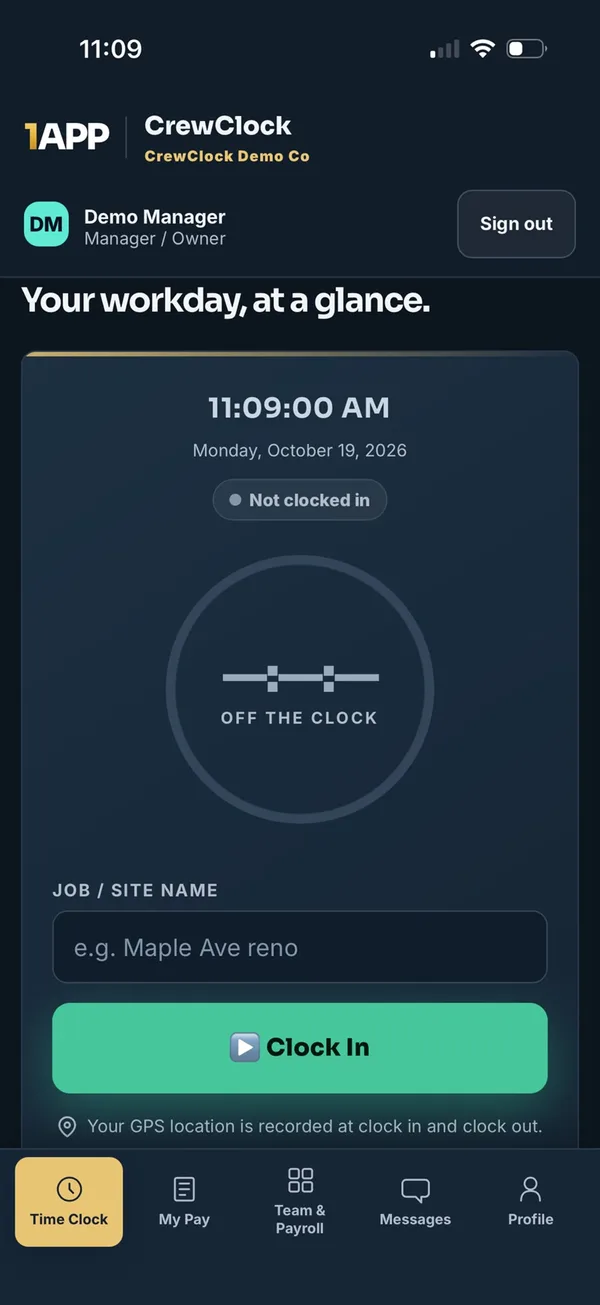
One tap in. One tap out. Proof on every punch.
Crew members pick the job site and hit Clock In. CrewClock records the time and, with permission, the GPS location at that moment — so you know who started where, and when.
- GPS-stamped clock in and clock out
- Job-site attendance flags for managers
- Live view of who's on the clock right now
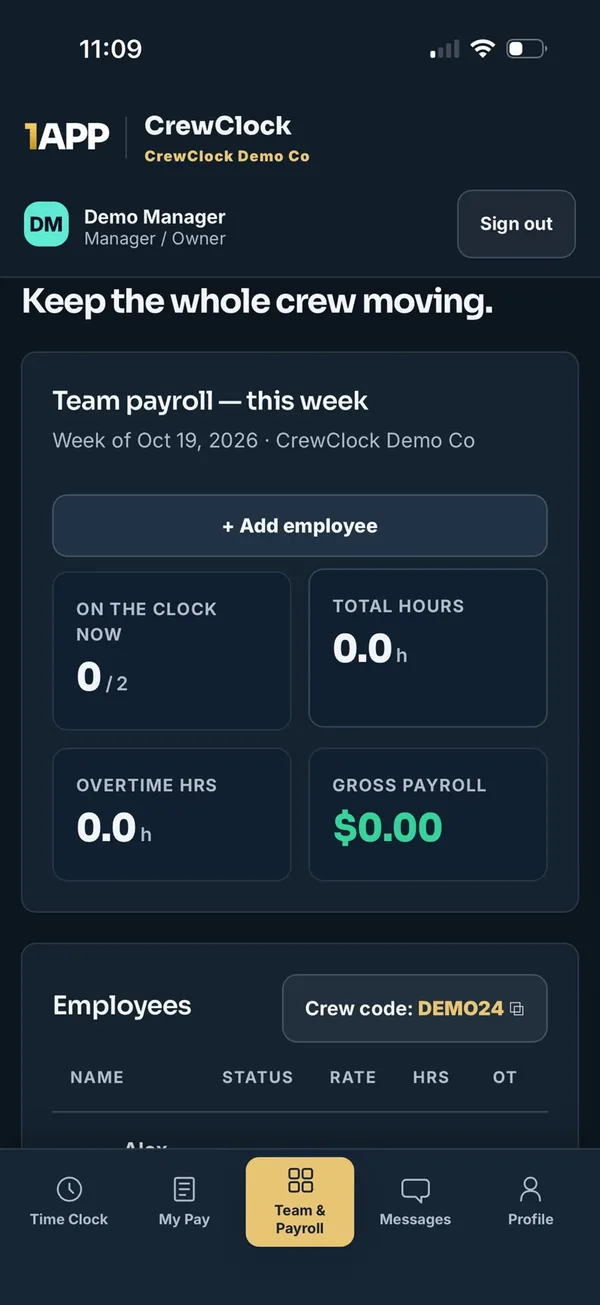
The whole crew's week on one screen.
See total hours, overtime and gross payroll estimates for everyone at a glance. Set your overtime threshold and multiplier once — CrewClock does the math every week.
- Weekly regular + overtime calculations
- Gross-pay estimates with historical punch rates
- Add employees and share one crew code
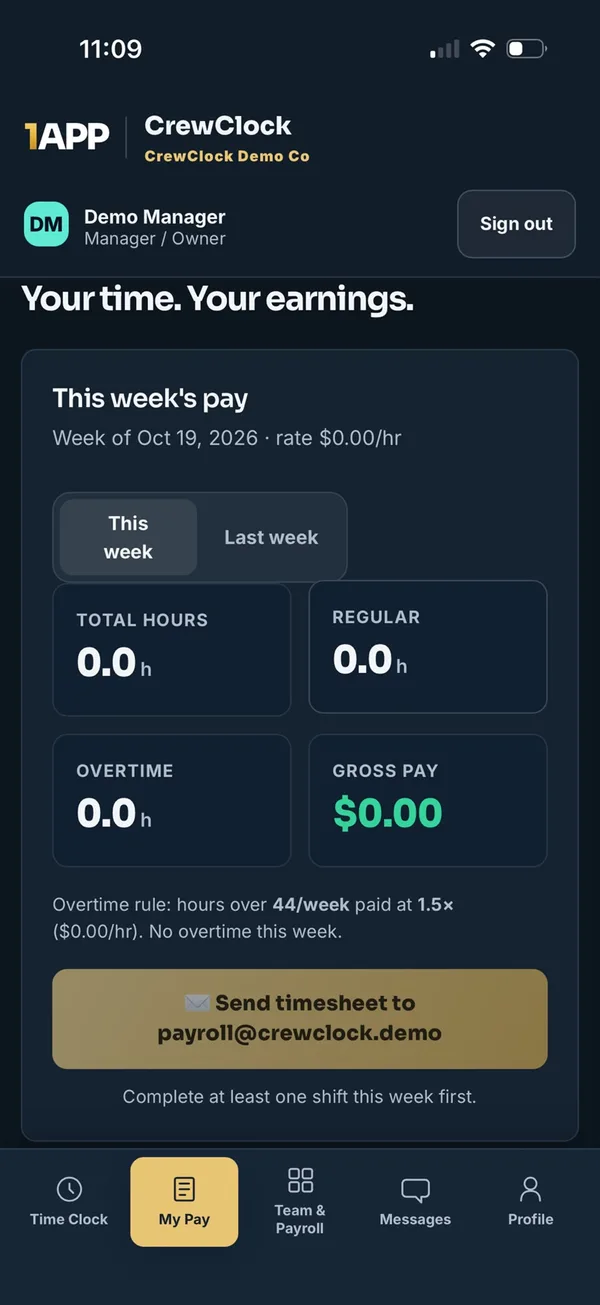
Payroll-ready timesheets in one tap.
Each employee sees their own hours and estimated pay. When the week's done, they send a secure, expiring timesheet link straight to your designated payroll person. No re-typing. No chasing.
- Employees see their own week — fewer "how many hours?" calls
- Secure timesheet links that expire
- Sent to the payroll recipient you choose
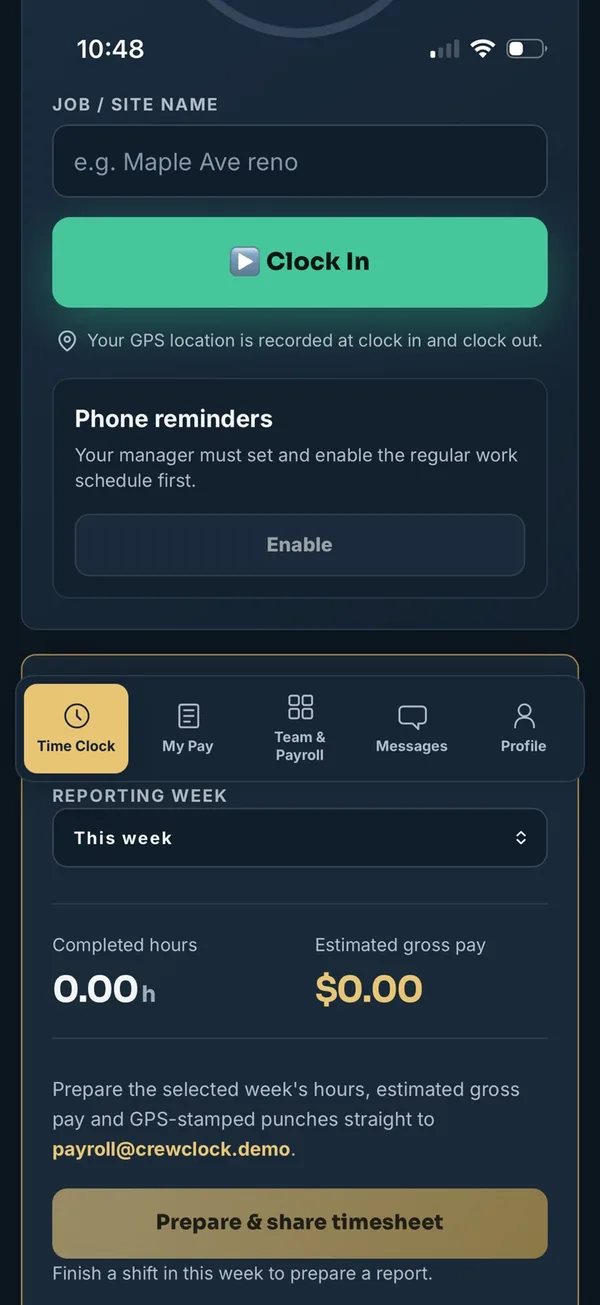
Catch the forgotten punch before it hits payroll.
Set regular workdays, start and end times, grace periods and a long-shift threshold. Crew members get forgotten clock-in and clock-out reminders, and managers see active exceptions. Reminders never create or close a punch on their own.
- Missed clock-in and clock-out reminders
- Long open-shift warnings for crew and managers
- Optional on-device reminders, even with the app closed
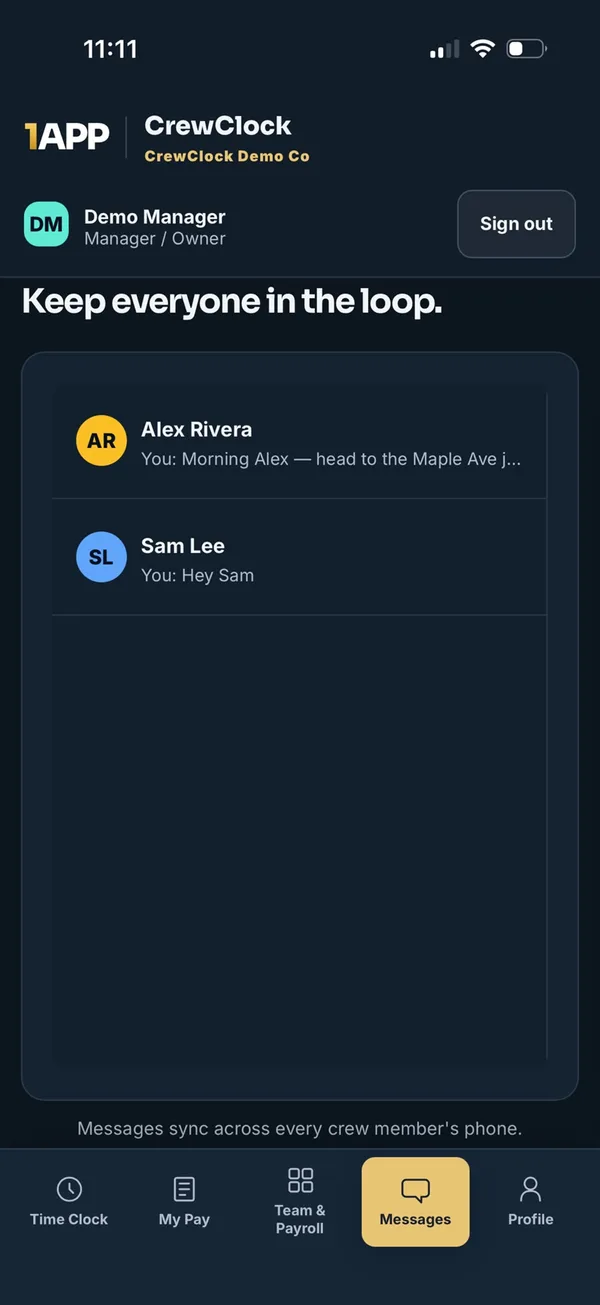
Job talk stays with the job.
Private company messaging keeps site updates out of personal group chats. Every message syncs across the crew's phones, with block and report controls built in.
- Private, company-only conversations
- Syncs across every crew member's phone
- Block and report controls included
Simple enough for day one.
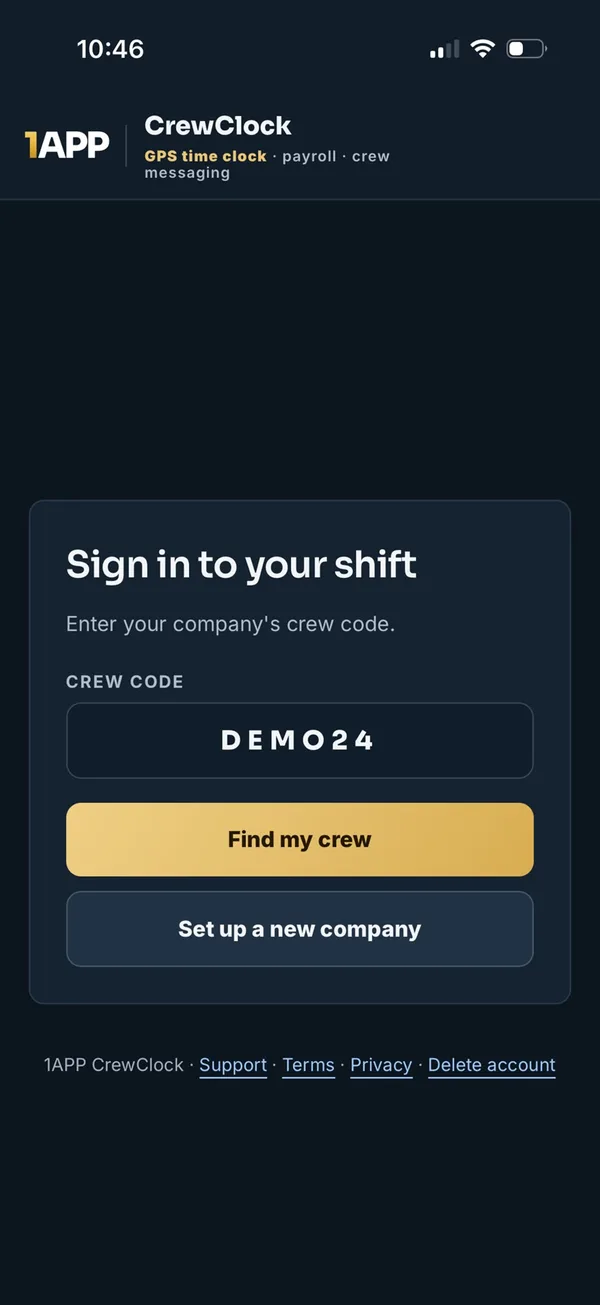
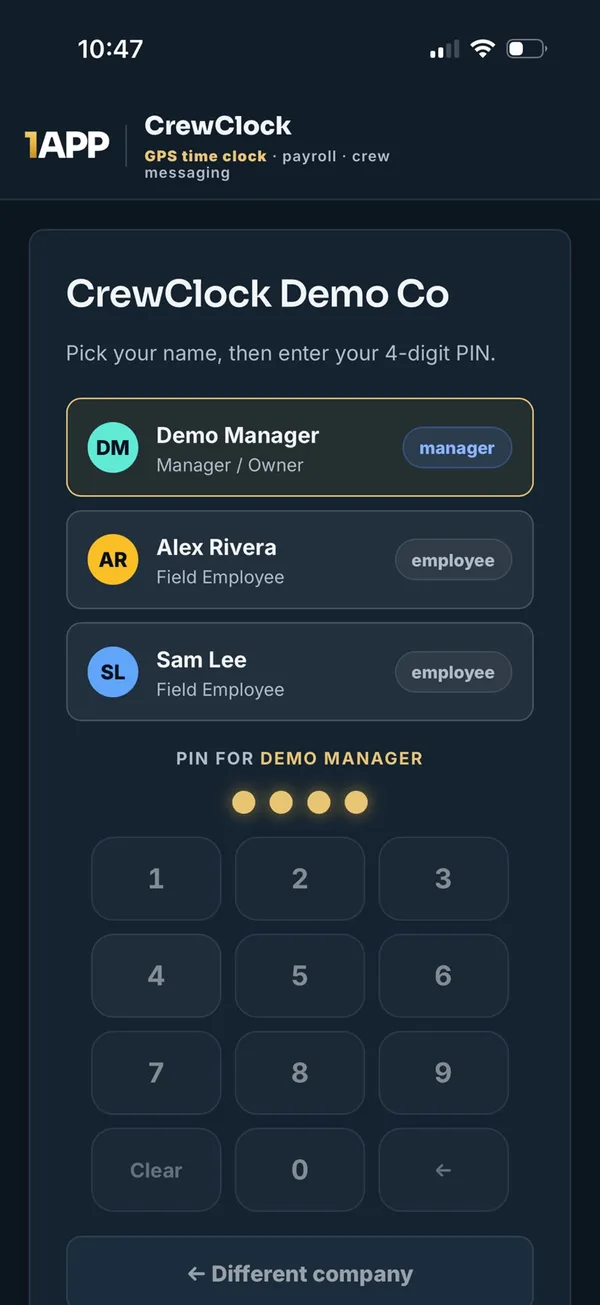
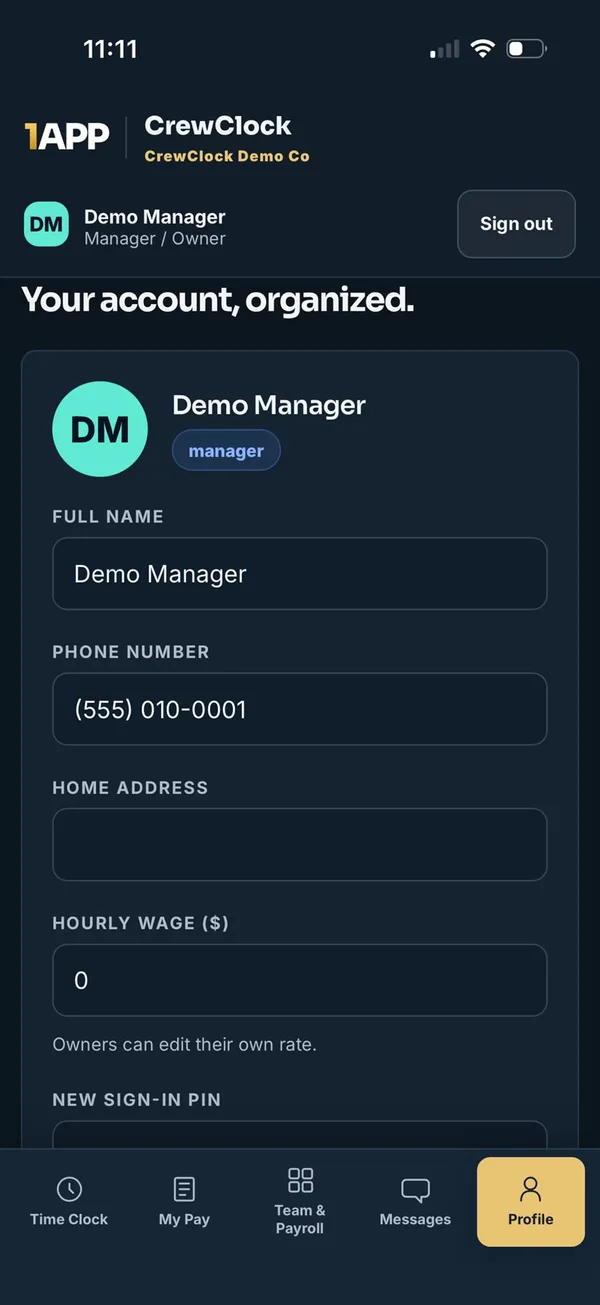
Three steps. No IT guy required.
Pick your plan
Choose the plan that fits your crew size and start your trial through secure Stripe checkout.
Create your company
Come back to CrewClock in the same browser, set up your company, and get your crew code.
Crew joins in seconds
Add your people, share the code, and each person signs in with their name and a 4-digit PIN.
Location at the punch. Never in the background.
CrewClock records GPS only at clock-in and clock-out (when the crew member allows it), or when a manager deliberately captures a job-site location. It never tracks anyone continuously — which makes it a much easier conversation with your crew.
One subscription. Your whole crew.
The business pays once. Employees never pay or enter a card. Every plan includes every feature — you only choose crew size.
Crew
- GPS-stamped clock in & out
- Weekly hours, OT & gross-pay estimates
- One-tap payroll timesheets
- Missed-punch reminders
- Private crew messaging
Team
- Every CrewClock feature
- Room for a full field team
- Job-site attendance flags
- Missed-punch exception review
- Manager & owner controls
Company
- Every CrewClock feature
- Room for 20 people, owner included
- Whole-crew payroll view
- Historical punch rates
- Lowest cost per person
14-day free trial, card required. You won't be charged until the trial ends; cancel any time before then. User limits include the owner. Prices in Canadian dollars, plus applicable taxes. Checkout is handled securely by Stripe.
Straight answers.
Do my employees need to pay or enter a card?
No. The company subscription covers everyone. Employees join with your crew code and their own PIN and count toward your plan's user limit.
Does CrewClock track my crew's location all day?
No. Location is only recorded at the moment someone clocks in or out (if they allow location permission), or when a manager deliberately captures a job-site location. There's no continuous or background tracking.
Does the owner count as a user?
Yes. The 5, 10 and 20 user limits include every active user, including the owner.
How does the free trial work?
Checkout currently includes a 14-day trial with a card required. After checkout, return to CrewClock in the same browser to create your company — we verify your subscription with Stripe before opening access. Please don't pay twice; if anything looks off, contact support.
Can I cancel or change plans?
Yes. Owners can open Manage billing from the CrewClock web app to update or cancel the existing subscription. Cancellation takes effect at the end of the current billing or trial period.
Does CrewClock replace my payroll software?
No. CrewClock organizes accurate hours, overtime and gross-pay estimates and sends timesheets to your payroll person. Your payroll provider or bookkeeper still handles deductions, remittances and paying your team.
What phones does it work on?
CrewClock runs in any modern phone browser today, so iPhone and Android crews can both use it right away.
Make this the last Friday you guess at payroll.
Set up your company in minutes and have the crew clocking in by tomorrow morning.